

Home: your total net worth
Click Início (Home) in the sidebar.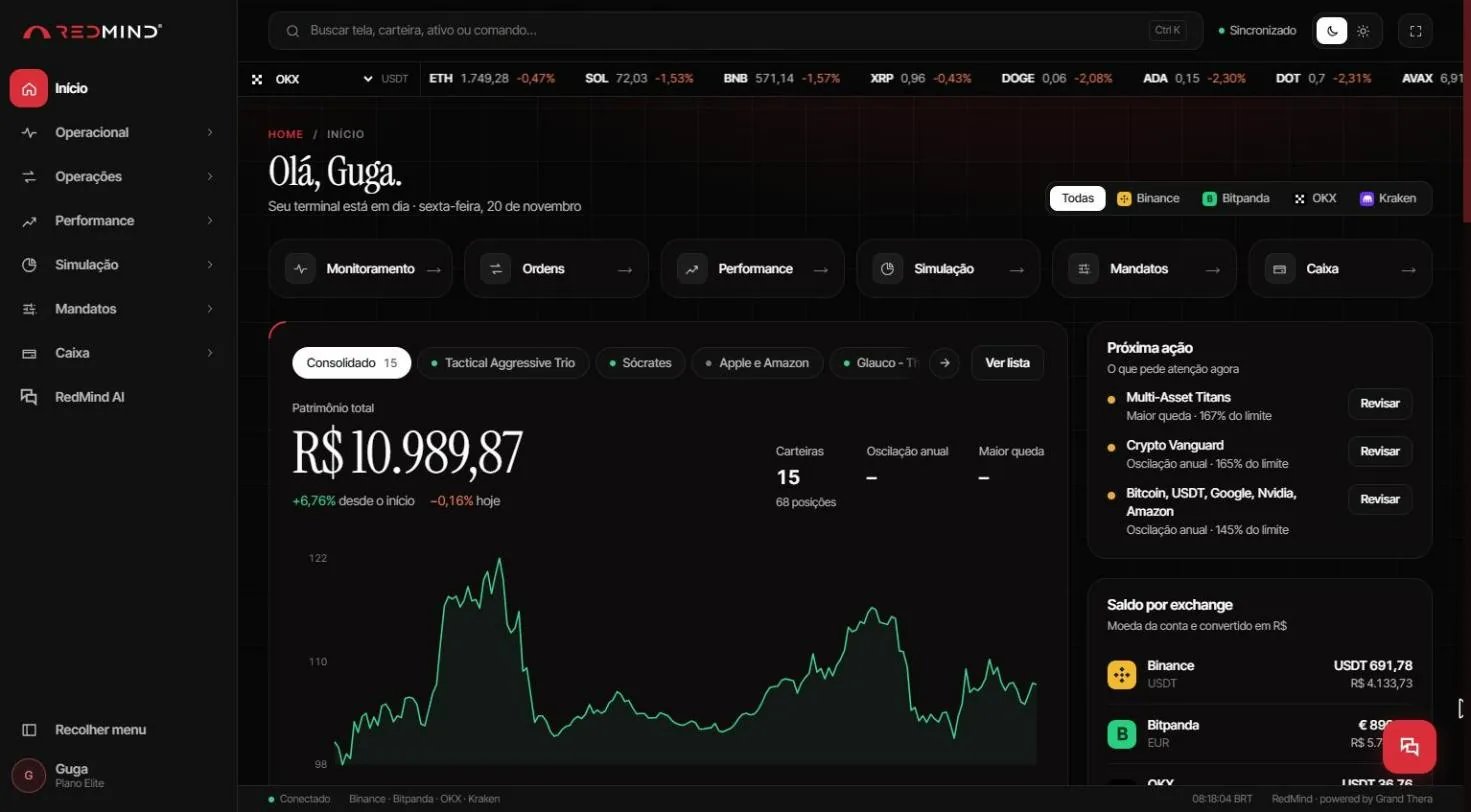
- Patrimônio total (Total net worth) of all portfolios, with the change since inception and today.
- Próxima ação (Next action): portfolios that need attention, for example a mandate limit that was exceeded, with a Revisar (Review) button.
- Saldo por exchange (Balance by exchange): the balance of each exchange in the account currency and in BRL.
Monitoring: each portfolio
Go to Operacional → Monitoramento (Operational → Monitoring).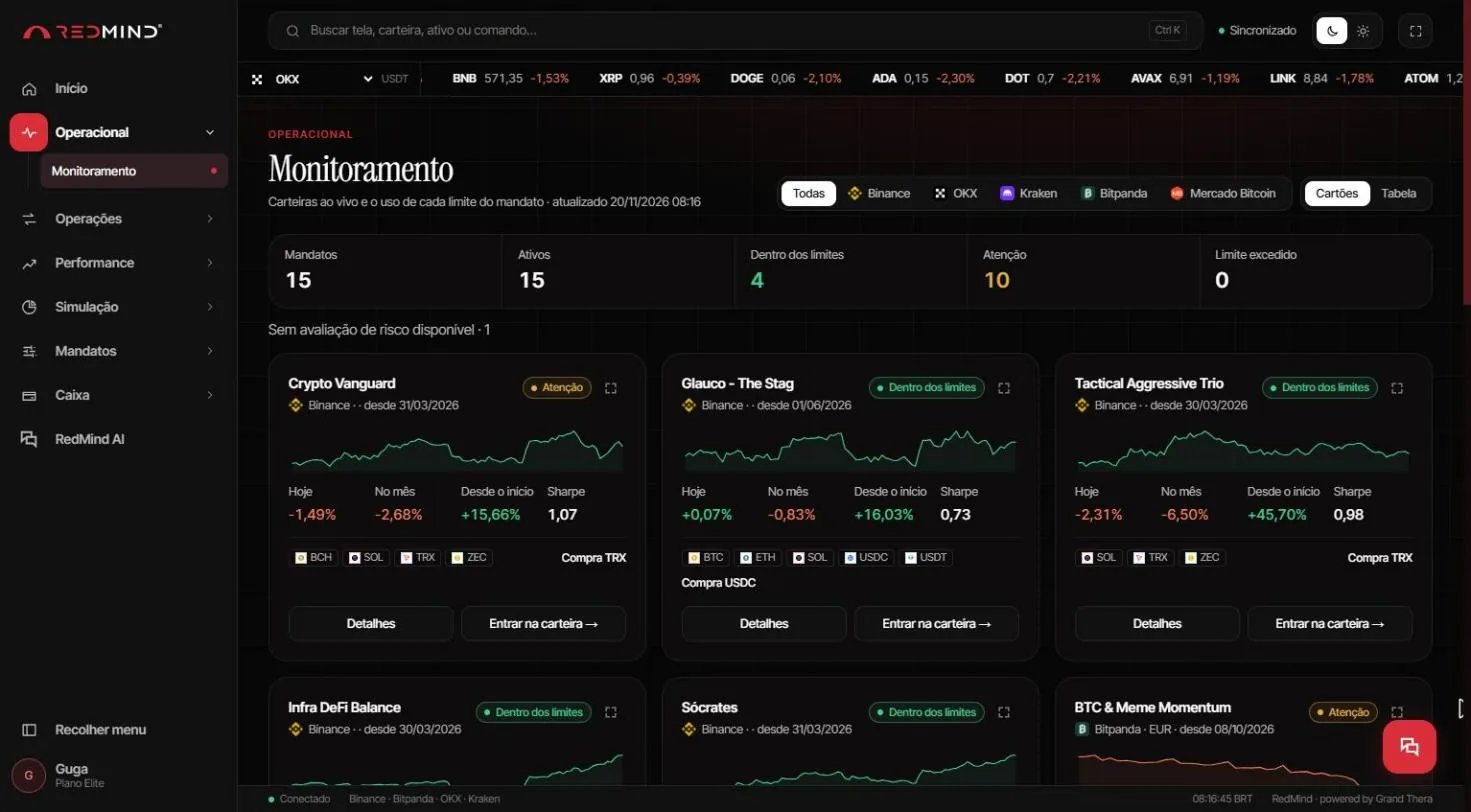
- The mandate status.
- The return for today, this month and since inception.
- The Sharpe ratio.
Mandate status
A portfolio with Limite excedido shows in Próxima ação (Next action) on the home screen. Click Revisar (Review) to check it.
Risk and performance: the details
Go to Performance → Risco e Desempenho (Risk and Performance). Choose the portfolio in Mandato em análise (Mandate under analysis).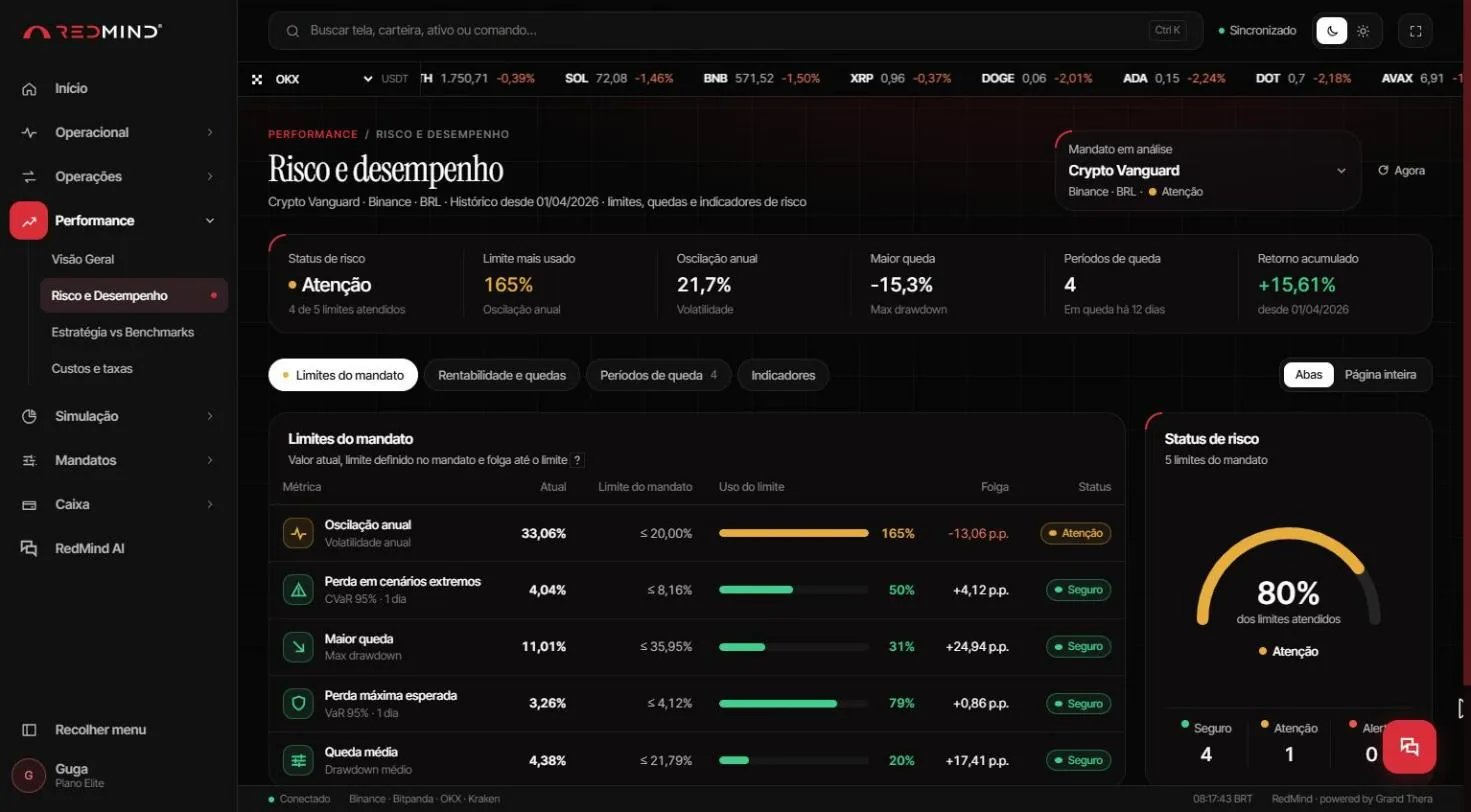
- Status de risco (Risk status)
- Limite mais usado (Most-used limit)
- Oscilação anual (Annual volatility)
- Maior queda (Largest drawdown)
- Retorno acumulado (Cumulative return)
Update your balance
If your balance in RedMind is old, go to Contas e acessos (Accounts and access), click Gerenciar conexão (Manage connection), then click Sincronizar (Sync).Past results and backtests do not guarantee future results. RedMind does not give investment advice.